
If you need to delete your Here Comes the Bus (HCTB) account using the new app, such as if your student has graduated, follow these steps:
Note: If you just want to silence your account (not receive any notifications) for a short time (such as if your student will be driven to and from school first semester but will be back on the bus second semester), you can turn off all push and email notifications by selecting Disable All and deselecting Opt In to Email Alerts on the Notification Rules screen (see Turning Off and On Specific Push and Email Notifications in the New App for details).
Make sure to remember to turn alerts back on again when you need them later!
- On any HCTB screen with the main menu at the bottom, tap Profile. (Tap Back if needed to return to such a page.)

Note: If you don't see the Profile item in the menu, tap More and then select Profile. (The More menu contains pages that don't fit on the main menu.)
The Profile screen will appear.
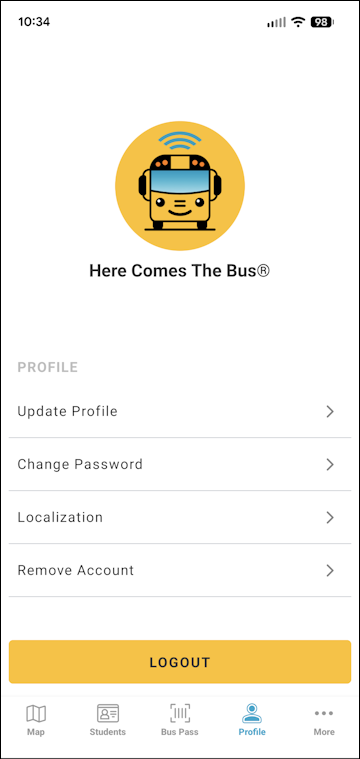
- Tap Remove Account.
The Remove Account page will appear.
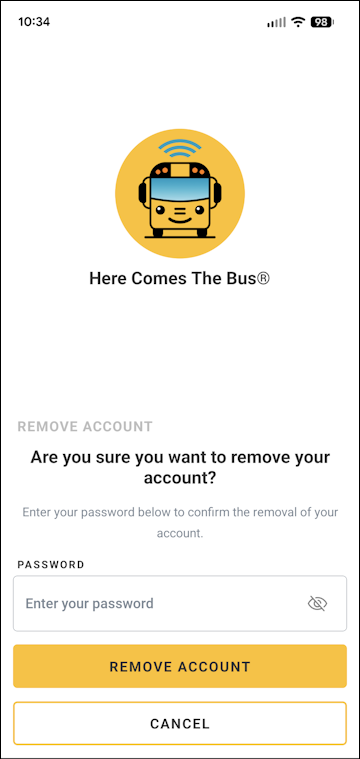
- Type your password in the Password field.
Note: You can select if you'd like to verify the characters you entered.
 - Tap Remove Account at the bottom of the screen.
You'll be returned to the HCTB login screen, and a success dialog box will appear.
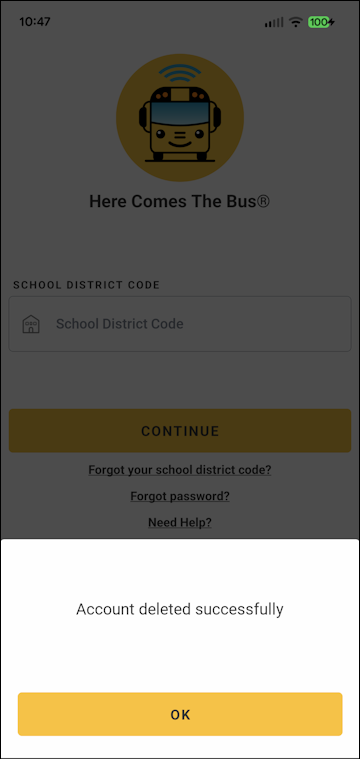
- Tap OK.